Author: admin

  • Om Nom Run 3D

    About: Om Nom Run 3D

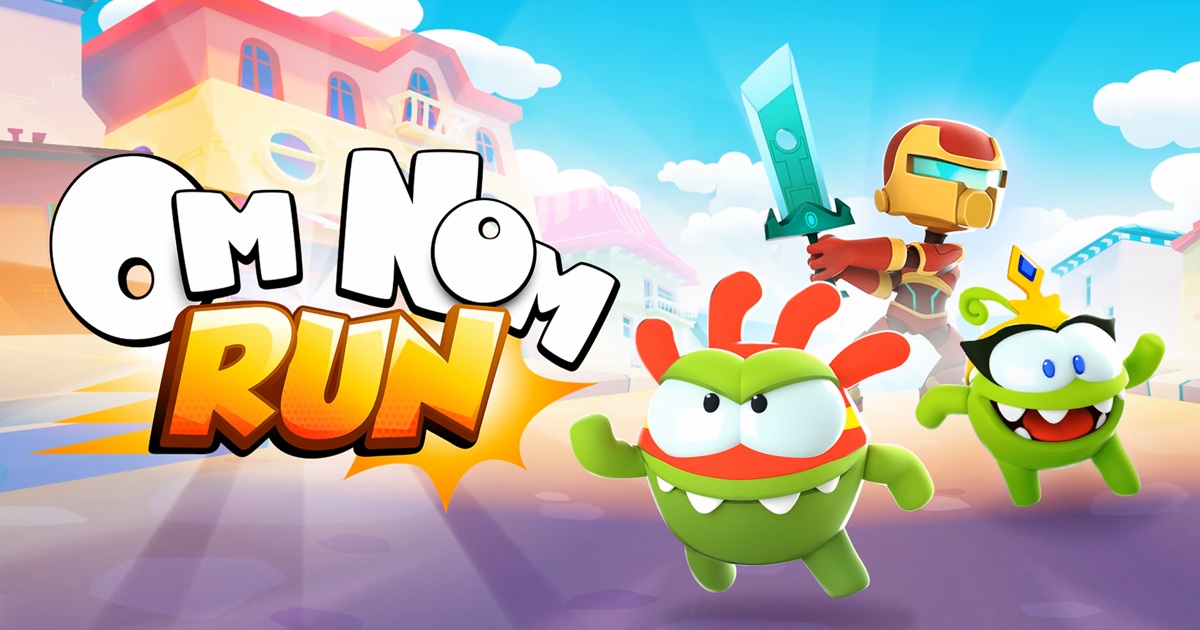
    Join Om Nom and Om Nelle on an exciting race through the colorful yet dangerous streets of Nomville.

    Every moment counts, and your agility determines your fate.

    Avoid unexpected obstacles, use special powers to clear your path, and uncover the secrets hidden in every corner.

    Explore this thrilling journey and unlock exciting new characters from the Cut the Rope universe, each with unique skills that can help you overcome any challenge.

    Om Nom: Run will bring you unforgettable moments of entertainment.

    Controls:

    Use arrow keys to control the character.

    Download apk here:  play.google.com/pc-store/games/details?id=com.zeptolab.omnomrun.google&hl=id

  • Run 3

    About: Run 3

    Run 3 is an engaging side-scrolling platform game that takes players on a challenging adventure with alien characters exploring space.

    You will start your journey on a uniquely designed track, where cubes and obstacles suddenly appear. Your goal is to control the character to overcome these barriers, but this process is not easy.

    When you start playing, you will realize that every step requires precision and high concentration. You have to jump over large gaps and keep your balance in space, where any lack of attention can lead to falling into the abyss.

    What is special about Run 3 is that you can change gravity by touching the buttons, allowing the character to run on walls, ceilings and different surfaces.

    However, changing gravity should not be done indiscriminately. You need to calculate carefully to maintain stability and avoid collisions with obstacles.

    Each level in the game brings its own challenges and becomes more and more difficult.

    You will have to face moving obstacles, unpredictable distances and cubes that can disappear right in front of you.

    Quickness and good reflexes will be the key for you to overcome difficult levels and go further in the game.

    The process of playing Run 3 can become a difficult battle with yourself. Failures are inevitable, and the feeling of disappointment when falling into a ravine or colliding with obstacles can discourage you.

    However, each challenge is an opportunity for you to learn and improve your skills. You will gradually become familiar with the control mechanisms and learn to predict the movements of obstacles.

    As you unlock more characters with special abilities, you will have more diverse tactics and playing styles.

    Each character has its own strengths and weaknesses, giving you many new and interesting experiences.

    Run 3 is not only a game for entertainment but also an exercise to test the player’s reflexes, control ability and patience.

    The journey to overcome obstacles and reach the destination will make you feel the joy and satisfaction of overcoming difficult challenges.

    Wish you have moments of comfort, thank you very much and always support the games we provide.

    Play it every day at website: https://run3game.co

    Controls:

    In the game you can use the arrow keys to control the character.

    ← (Move the character to the left)
    → (Move the character to the right)
    ↑ (Jump to overcome obstacles or gaps)

    Or maybe:

    The control buttons for this game are WASD.

    SPACE or UP Arrow = Jump.

    A or LEFT Arrow = Left.

    D or RIGHT Arrow = Right.

    Download apk here: play.google.com/store/apps/details?id=com.imangi.tr3&hl=id&pli=1

  • Angry Gran Run

    About: Angry Gran Run

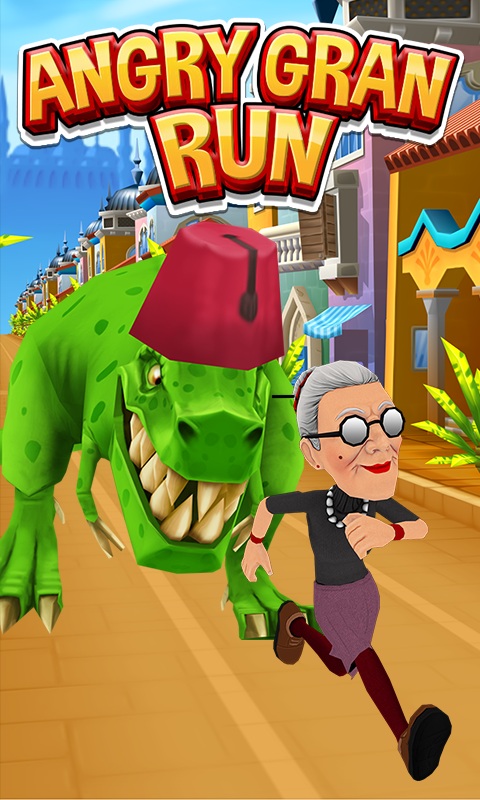
    Angry Gran Run is an amazing endless running game where you control an angry granny running away from the crowd.

    This free 3D game gives players an exciting experience as the granny explores famous cities around the world.

    With sharp graphics and fast-paced gameplay, you will have to overcome many different obstacles and enemies in a dramatic journey.

    Join now to enjoy a memorable adventure with this angry granny.

    Controls:

    Use your A and D keys to move left and right.

    Press your up arrow key to jump, and the down arrow key to slide.

  • Running Jack

    About: Running Jack

    Welcome to Running Jack – our latest action arcade game where you will accompany the charming hero Jeff Powers.

    This time, Jeff needs your help to conquer the challenges in a deserted space station.

    In this adventure, your mission is to overcome many formidable obstacles, including terrible missiles, evil robots and many other obstacles.

    Focus on improving your reflexes and skills to help Jeff overcome each challenge!

    Don’t forget to collect coins, tokens and delicious burgers along the way.

    They will help you buy special power-ups and upgrades for Jeff, making him stronger in this arduous journey.

    Are you ready to become Running Jack and set new records?

    Challenge yourself and beat the highest score to prove that you are the best racer.

    The adventure is waiting, let’s get started!

    Controls:

    Click + Hold left mouse button to play.

  • Invite to Earn

    The more, the merrier. Instead of running alone, users can invite friends to move and earn together.

    Each user has one certain Referral Code or Refcode which was auto-generated from the user name.

    Users can share this Refcode to other users to acquire certain rewards.

    Note:
    There are two kinds of Refcode: 1 for User and 1 for Partner Program (Head to Affiliate section for more details)

    The Refcode in this section refers to User Referral Code.

    Mechanism

    Refcode serves as a referral link to download Calo App. User A can copy this Refcode in Profile page to invite User B and get rewards once these conditions are met:
    User B installed Calo App through the Refcode.
    User B owned at least an NFT Shoebox/Sneaker in-app.
    User B finished the first tracklog.

    Reward

    The Reward feature will be added to the Profile page. Once the three conditions above are achieved, the Claim button will shine and User A can claim his reward.

    Afterwards, rewards will be transferred directly to the Spending wallet.

    Note: The reward from the Invite to Earn mechanism will change following the current Event at that time.

  • Incentives Mechanics

    Single Mode Incentives Cap

    There is a Daily Stamina Cap and Daily Token Cap in Single Mode. These obligations restrict the Stamina quantity and tokens that users can keep on a daily basis.

    Daily Stamina Cap

    Stamina begins with 2/2 and reaches the max at 20/20. gaining more Sneakers or higher quality ones will raise Max Stamina Cap (Head to Stamina System for more details).

    Daily Token Cap

    Daily FIT Cap begins at 5/5 and reaches the max at 300 FIT and 15 CALO. Leveling up Sneakers will boost

    Daily Token Cap.

    Single Mode Incentive Mechanics

    FIT
    K: Player’s Average Speed
    PSP: Player’s Sneaker Performance
    PSPC: Player’s Sneaker Performance’s Coefficient (Stone/Space, NFT Medals)
    System value: Value set by the game developer, subject to change.

    Parameter: A range of system values

    Generally, FIT Earnings are determined by:

    • Total Stamina
    • Movement Speed
    • Sneaker (Type, Attributes, Quality & Level)

    Stone (Type, Level & inserted Space Quality) NFT Medals

    Gacha Box

    Gacha Box value affects the rate of dropping a Gacha Box:

    • PSL: Player Sneaker Luck
    • PSLC: Player Sneaker Luck Coefficient (Stone/Place, NFT Medals)

    Generally, Gacha Box Quality is defined by:

    • Stamina used in one single session
    • Sneakers’ Luck attributes
  • How to begin with Calo Metaverse

    Let’s take the first step with the app downloading

    1. Get the Calo Metaverse app to your device

    2. Fill in sign-up form to officially become our member

    When you download the app to your devices such as a phone, or laptop, you can create an account by using your email. Once it has been installed, an authentication code is sent to you shortly via your email.

    3. Create a brand-new Wallet account

    • The Wallet icon will appear on the top-right hand corner of the screen, select it.
    • Afterward, you will be asked to create a password for your account.
    • You will then be provided with a unique 12-word backup phrase for backing up your wallet.

    Next, you will be asked to confirm your secret backup phrase. Once you do that, your account is set and ready to use. It is advisable to put the backup phrase in somewhere secure. If you forget the password, it will be used to bring your Wallet back.

    Congratulations! You’ve correctly set up your Calo Metaverse account!

    4. Using FIT and BNB for your in-app Wallet

    You must send FIT to your wallet to pay for NFT sneakers in the Marketplace, and BNB for gas fee for your transactions.

    Note: All transaction in-app will be took place using FIT as main currency and BNB as gas fee.

    5. Purchase your own sneaker

    How to obtain a sneaker from the in-app Marketplace? It’s quite easy. First, you access the Marketplace, then use the Filter option to choose a sneaker you like. And do not forget to use FIT to purchase it.

    Bravo! Let’s start your Calo adventure right away to be healthier and earn more money. Please note that the stamina will be generated at a rate of 25% every 6 hours after your Sneaker purchasing. (Fixed at UTC Time +1 02:00, 08:00, 14:00, 20:00) After the first 25% Stamina restore, you can start your move to earn!

  • Calo Metaverse – Win yourself, be a helper!

    Calo Metaverse – Win yourself, be a helper

    Calo Metaverse is a health – lifestyle platform with Gamefi and Socialfi factors to help people move more and make movement.

    Based on blockchain, You can equip yourself with an NFT and start the game by moving . By those daily activities, you can earn more tokens to use in games or even cash out easily.

    How does Calo Metaverse help you?

    Calo Metaverse blockchain system provides you chances to work out on a daily basis either in single or world challenge mode. We also record your training results and convert your moving movement into valuable rewards.

    You can either hold the Tokens and NFTs earned to use in-app or cash out for profit. The more you practice, the more rewards you get; that is the motivation that pushes us forward to move our bodies so as to gain both beneficial health and passive income.

    The future of Calo Metaverse

    Calo Metaverse aims to create a change in the world’s Healthy Lifestyle trend by adding more value to the process of personal workout and moving.

    Our vision is to create a safer metaverse where people can connect through fitness and sport activities. Starting with the Move to Earn model, we will build up Sport clubs and other Workout- and Lifestyle- to earn. We believe the Social-Fi system, which supports the connection between users and community through exercise, will support Calo Metaverse grow strong and sustainable. Afterall, you will get the benefits of health and wealth inside out.

    Don’t just move, make a movement together.

    Definition

    Game token: FIT

    Governance token: CALO

    Note: Calo Metaverse is currently under Public Beta Phase, so contents in the Whitepaper could be changed any time.

  • Game Play System

    Single Mode
    To start your Move to Earn, you must purchase an NFT Sneaker and if you want to get a Fitness Access Token (FIT), you’ll need Stamina. Every 1 Stamina is equivalent to 5 minutes of your moving, and only once you have done your sneaker purchasing. To start, users designate a Sneaker and select the Start button.
    Then the Walking and Running buttons will appear on the top of the screen.
    Moonwalking: Due to the loss/ weakness of your GPS/ Internet connection or the user is not moving properly, this will be shown which leads to the Stamina losing (depends on the cases) and no FIT earnings.
    GPS Signal: no GPS with White, Poor GPS with red and green illustrates a capable GPS Signal
    Note: Always be aware of your Stamina before taking any physical movements because you can’t earn any tokens without it. There are four main factors of FIT/CALO compensation:
    • Sneaker Type – Each sneaker will help you obtain a different amount of FIT. You can read more about the individual breakdown of each shoe in the Shoe Properties Section.
    • Attributes of Sneaker Performance – The higher the performance, the more FIT/min you can obtain. From level 0- 29, users can only achieve FIT, but at level 30 and above, users can choose either FIT or CALO. Users are free to control the transition between these two monetization modes.
    • The Speed Attribute of the Sneaker – The higher the Speed, the more CALO/min you take. At Level 30, users will be able to switch between FIT and CALO earnings. Users have complete control over switching between these two earning modes. To get further information about CALO releasing, read the Tokenomic section
    • Moving Speed ​​- To get the most rewards, users should move at the ideal speed of their shoes’ ideal speed. Your profit will drop by up to 90% if you slip outside of this range (this also depends on the difference in speed with range)
    When the Stamina is out, no more token earned. Users can keep moving or exit the Individual mode by touching the Stop button once in a while.
    Gacha Box
    In Single Mode, the Gacha Box is a magical box that is randomly allocated while you’re on the go. It’s filled with Stones (Level 1–3). There are four Gacha Box slots called Gacha available per user. The Gacha Box quality in five types is the same as in Sneaker. Once you get it, it takes you a few seconds, and the countdown starts automatically. They can not open it once the countdown is over. Please note that the
    Gacha Boxes countdown time increases in equivalent to its quality.
    Gacha Boxes can unlock items or NFT collabs with brands or markets.
    Challenge (Under development)
    Users can take the weekly and monthly challenges in Challenge Mode, and it has to be registered at least 24 hours before the launch.
    • Weekly Challenge – These challenges occur weekly and last to the end of it.
    • Monthly Challenge – These challenges occur monthly and last to the end of it.
    When the user successfully registers and completes the challenge, Mission Log will notify them and then they can explore a lot of special features of the app such as Set a Goal for better experience. Please note that you can only repair your Sneakers after completing the challenge.
    Registration cost
    Upon enrollment, the users have to pay a returnable fee to ensure liability. Fees are refunded upon completion of the Challenge or pooled as a cumulative reward for users on Leaderboard
    Leaderboard
    Challenging opponents are ranked based on a points system. And points will be calculated according to the speed and attributes of the Sneakers.
    Prizes
    • The top % on the weekly/monthly Leaderboard will get FIT/CALO tokens and Gold NFT Medal (Under development)
    • The top % on the weekly/monthly Leaderboard will get CALO tokens and Silver NFT Medal
    • The top % on the weekly/monthly Leaderboard will get FIT tokens and Bronze NFT Medal
    • All Challenge competitors will achieve an NFT Medal of Participation
    Team Challenge Mode (Under development)
    By sharing the Activation Code, the user has a chance to get accumulated points or Medals. And after reaching a certain level of points, users have the right to be a leader and create their own clubs and group challenges. And teams can compete against each other in the Team Challenge section. The ranking is calculated based on the participants numbers and the total kilometers accumulated over a specified period of time The winning team can earn a limited NFT Sneaker in addition to the tokens in the Calo Metaverse.
    Other AR/ VR PVP mode (Under development).